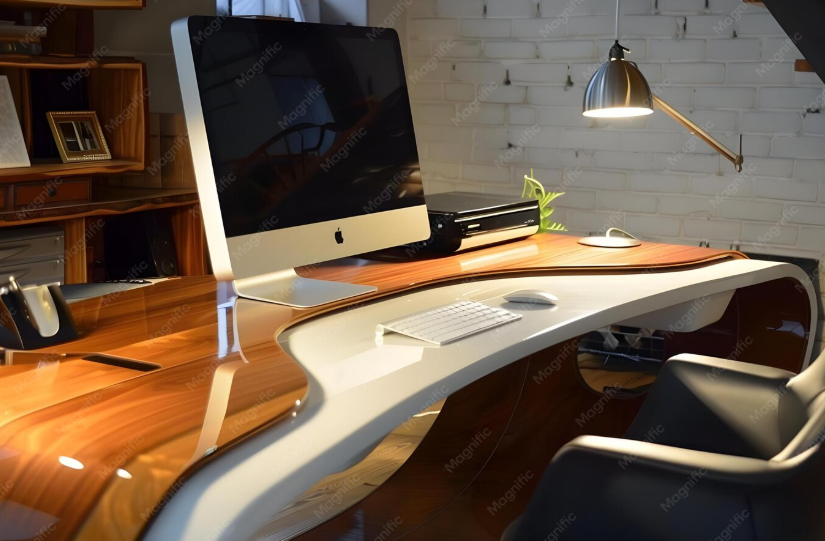
An office workstation is more than simply a desk and chair. It is a complete work area that can include a desk, chair, monitor, keyboard, storage, lighting, and other equipment needed for daily tasks. A well-planned workstation can make an office feel more organized while supporting comfortable and efficient work.
Modern workstation design increasingly focuses on flexibility, adjustability, organization, and ergonomics. Workstations should be arranged around the tasks being performed and the person using them rather than relying on a single layout for everyone.
What Is an Office Workstation?
An office workstation is a dedicated area where an employee performs regular work. It may be an individual desk, an L-shaped station, a cubicle, a shared bench, or part of a larger workstation cluster.
A typical workstation may include:
- Desk or work surface
- Ergonomic office chair
- Computer and monitor
- Keyboard and mouse
- Storage or drawers
- Cable-management system
- Desk lighting
- Headset or telephone
- Monitor stand or arm
The ideal setup depends on the employee’s job, equipment, available space, and working style.
Benefits of a Well-Designed Office Workstation
A thoughtfully designed workstation can improve both organization and everyday comfort.
Key Benefits
- Creates a dedicated work area
- Keeps essential equipment organized
- Reduces unnecessary desk clutter
- Makes frequently used items easier to reach
- Supports better working posture
- Provides adequate storage
- Makes better use of available office space
- Can accommodate different work styles
A good workstation should also provide enough legroom and space for the employee and equipment required for the job.
Popular Office Workstation Designs
1. Straight Workstation
A straight desk is a simple option for individual employees. It works particularly well in smaller offices where efficient use of floor space is important.
2. L-Shaped Workstation
An L-shaped workstation provides additional surface area for monitors, paperwork, and other equipment. It can also create separate computer and paperwork zones.
3. Cubicle Workstation
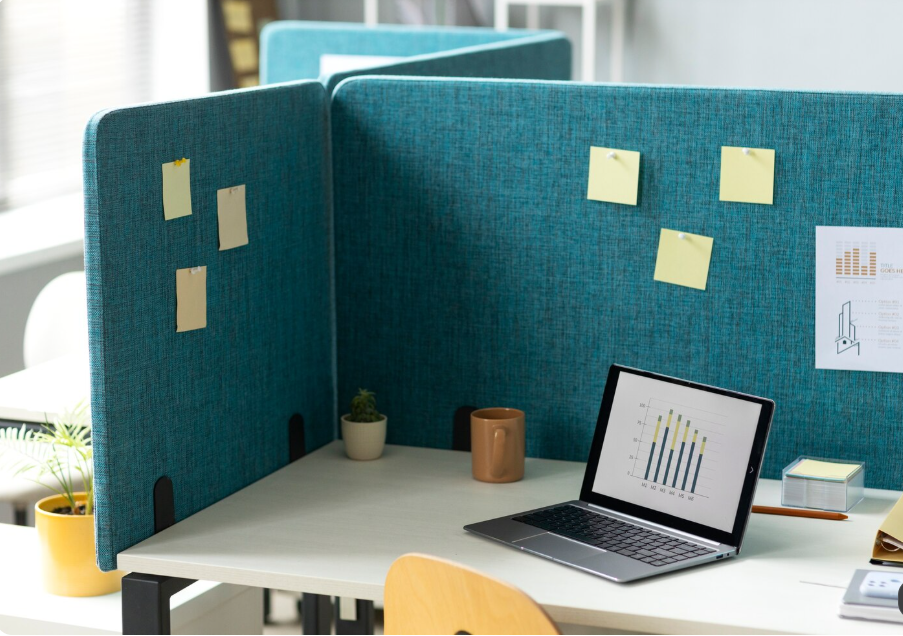
Cubicles can provide employees with defined personal workspaces while allowing several stations to fit within a shared office.
4. Bench Workstations
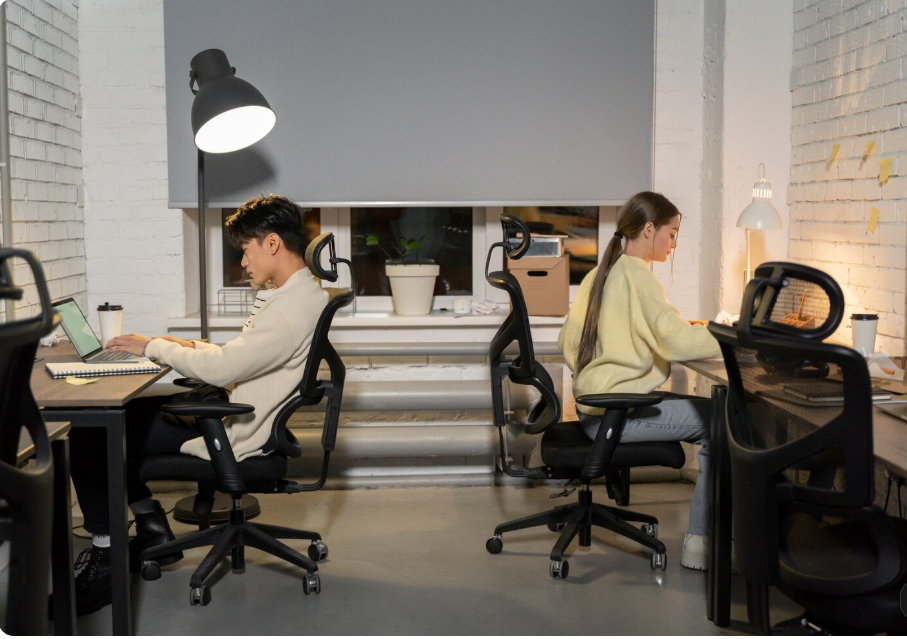
Bench-style systems place multiple employees along a shared work surface. They can create a collaborative appearance and make efficient use of office floor space.
5. Height-Adjustable Workstation
A height-adjustable desk allows users to change between sitting and standing positions. The desk should still be adjusted to the individual rather than using standing as a replacement for sitting throughout the day.
Office Workstation Size and Layout
The correct workstation size depends on the job and equipment. A person using a laptop may need considerably less surface area than someone using two monitors, documents, a telephone, and other equipment.
Current office planning guides commonly place individual workstation desks around 1,200–1,600 mm wide and 600–750 mm deep, although exact requirements depend on the user and equipment.
| Workstation Type | Typical Use | Main Advantage |
|---|---|---|
| Compact desk | Laptop or single monitor | Saves space |
| Standard workstation | General office work | Balanced workspace |
| L-shaped desk | Multiple tasks | More surface area |
| Bench workstation | Shared office | Efficient floor planning |
| Height-adjustable desk | Flexible working | Sitting/standing options |
Always consider chair movement, walking paths, storage, power, and equipment—not just the desk dimensions.
How to Create an Ergonomic Office Workstation
Ergonomics is an important part of workstation planning. The chair, desk, keyboard, mouse, and monitor should work together to support a comfortable position.
Adjust the Chair
Your feet should be supported by the floor or a footrest, while the backrest should provide appropriate lower-back support. Armrests should not prevent you from sitting close enough to the desk.
Position the Monitor
The monitor should be directly in front of you and approximately an arm’s length away. The top portion of the screen should generally be around eye level.
Position the Keyboard and Mouse
Keep the keyboard and mouse close to your body, with your elbows comfortably bent and shoulders relaxed. Frequently used items should remain within easy reach.
Keep Legroom Clear
Avoid filling the area underneath the desk with boxes, files, or equipment. Adequate legroom allows you to sit closer to the desk and change positions comfortably.
Office Workstation Storage Ideas
Storage is essential for keeping a workstation functional. Instead of covering the desktop with paperwork and supplies, use dedicated storage solutions.
Consider:
- Under-desk pedestals
- Mobile drawer units
- Overhead cabinets
- Open shelving
- Filing cabinets
- Cable trays
- Desk organizers
- Shared storage cabinets
Frequently used materials can stay close to the workstation, while rarely used files can be stored farther away. This approach helps reduce unnecessary reaching and desk clutter.
Modern Office Workstation Design Ideas
A modern workstation does not need to be complicated. Clean lines, neutral finishes, integrated cable management, and simple storage can create a professional appearance.
Popular design features include:
- Minimalist desks
- Wood-look surfaces
- Acoustic privacy panels
- Built-in power outlets
- Monitor arms
- Under-desk cable trays
- Height-adjustable desks
- Ergonomic chairs
- Shared storage
- Flexible workstation layouts
For open offices, acoustic panels or privacy screens can provide visual separation without completely isolating employees.
Office Workstation for Small Spaces
A small office can still have an efficient workstation. The key is to prioritize the equipment you actually use.
Choose a compact desk, wall-mounted shelves, vertical storage, and a monitor arm when appropriate. Keep the floor beneath the desk clear and avoid unnecessary furniture.
An L-shaped workstation can also make effective use of a corner when additional surface area is needed.
Common Office Workstation Mistakes
Even an attractive workstation can be uncomfortable if it is poorly arranged.
Avoid:
- Placing the monitor too far away
- Keeping the screen off-center
- Choosing a desk without sufficient legroom
- Filling the desktop with unnecessary items
- Ignoring cable management
- Using a chair that cannot be adjusted
- Storing frequently used items too far away
- Designing every workstation identically without considering different users
Workstations should be flexible enough to accommodate different people and tasks.
Final Thoughts
A well-designed office workstation can create a cleaner, more comfortable, and more efficient workplace. Whether you are furnishing a home office, small business, corporate workspace, or shared office, focus on the relationship between the desk, chair, monitor, equipment, storage, and available space.
The best workstation is not necessarily the largest or most expensive. It is one that fits the user’s tasks, keeps essential equipment organized, provides sufficient space, and can be adjusted for comfortable working.
FAQs About Office Workstations
1. What should an office workstation include?
A typical workstation includes a desk, chair, monitor, keyboard, mouse, storage, and appropriate accessories. Additional equipment depends on the employee’s role.
2. What is the best desk size for an office workstation?
The ideal size depends on the user’s equipment and tasks. Many modern office planning guides use approximately 1,200–1,600 mm of width and 600–750 mm of depth as common planning ranges.
3. How should a monitor be positioned?
The monitor should generally be directly in front of the user and about an arm’s length away, with the viewing position adjusted around eye level.
4. Are height-adjustable workstations worth it?
They can be useful for employees who want the flexibility to alternate between sitting and standing. The workstation should be adjusted to the individual, and users should regularly change positions rather than remaining in one posture for long periods.
5. How can I keep an office workstation organized?
Use dedicated storage, cable management, desk organizers, and clearly defined work zones. Keep frequently used items within easy reach and move rarely used items away from the primary workspace.
| Read more:Solid Wood Corner Desk |
1 Comment
[…] Read more: Office Workstation: Modern Design […]